|
DHCP Server : Configure DHCP Client
2017/01/17 |
|
Configure DHCP Client. This example is based on Windows 10.
|
|
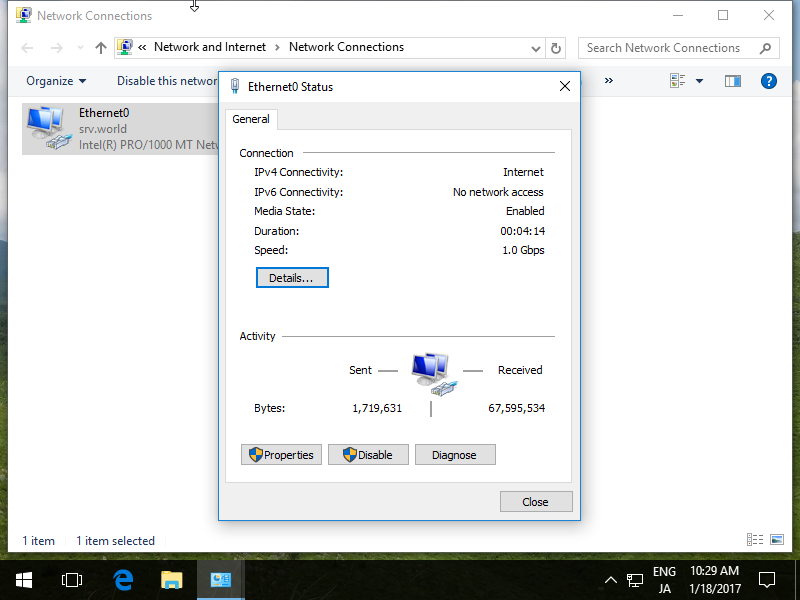
| [1] | Open Network settings and click [Properties] button. |
|
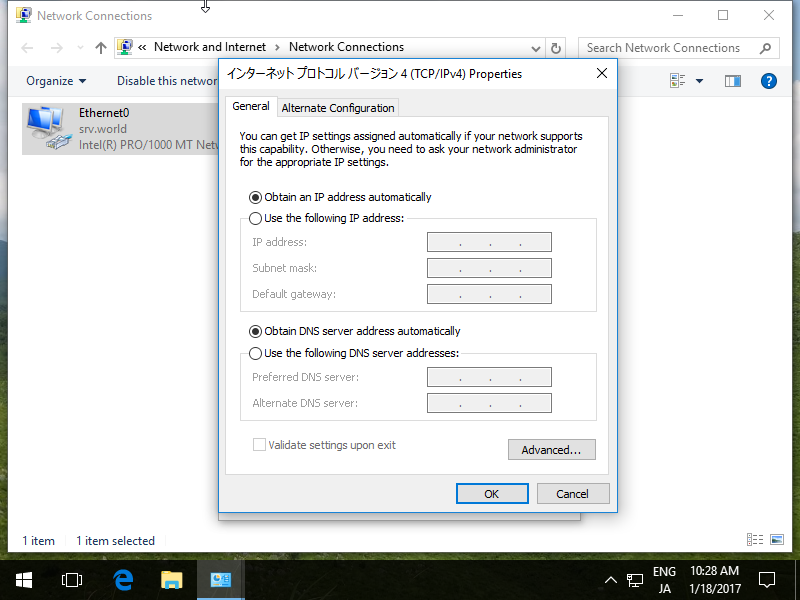
| [2] | Open [IPv4] Properties and set like follows to assign IP address from DHCP server. |
|
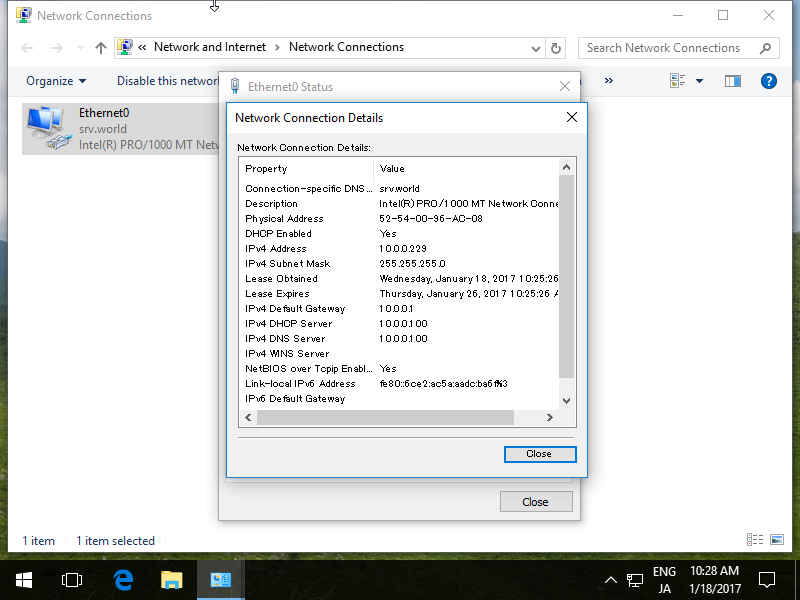
| [3] | After re-configuration of networking, IP address is assigned from DHCP Server. |
|